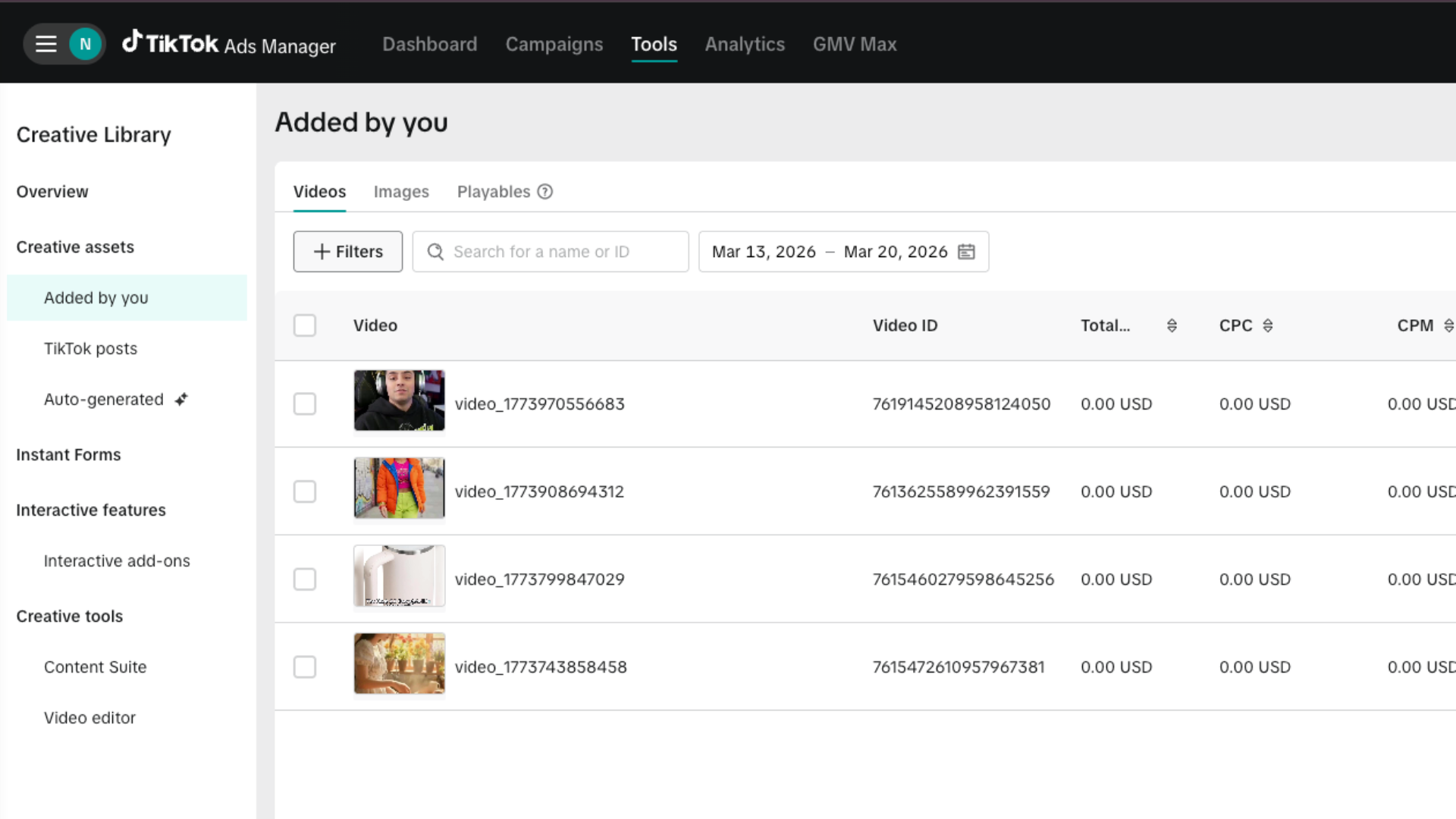
Sync to TikTok Ads
The Sync to TikTok Ads feature allows you to seamlessly transfer generated videos from Pody.ai to your TikTok Ads account, helping you launch campaigns faster without manual downloads or uploads.
Before syncing videos, you need to link your TikTok Ads account.
Usage Limits
- Each user can connect up to 20 TikTok Ads accounts
- You can sync up to 5 videos per request
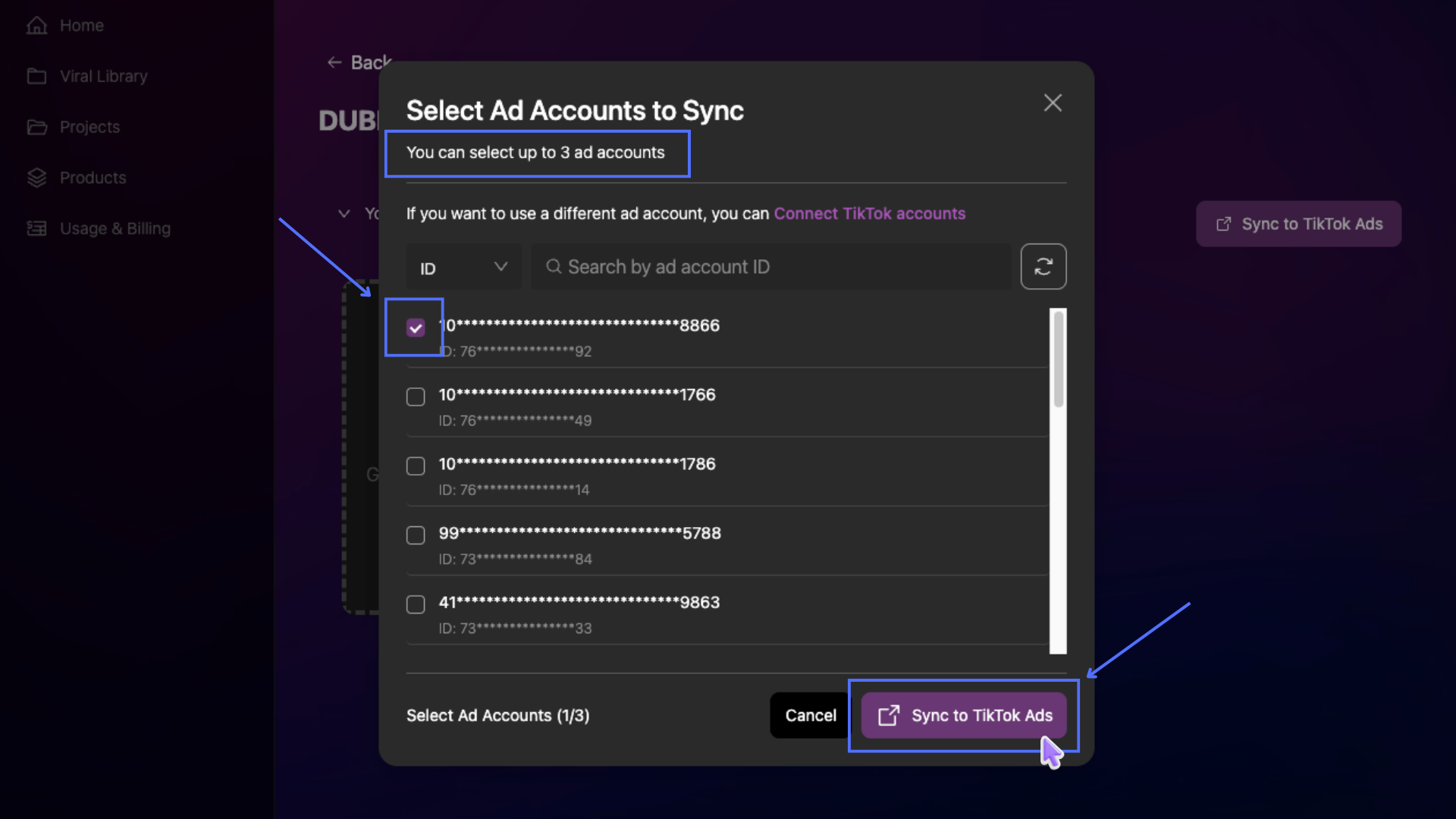
- Each sync action supports up to 3 TikTok Ads accounts
1. Connect TikTok Ads Account
To connect your TikTok Ads account, first log in to your Pody.ai account at https://app.pody.ai, then follow these steps:
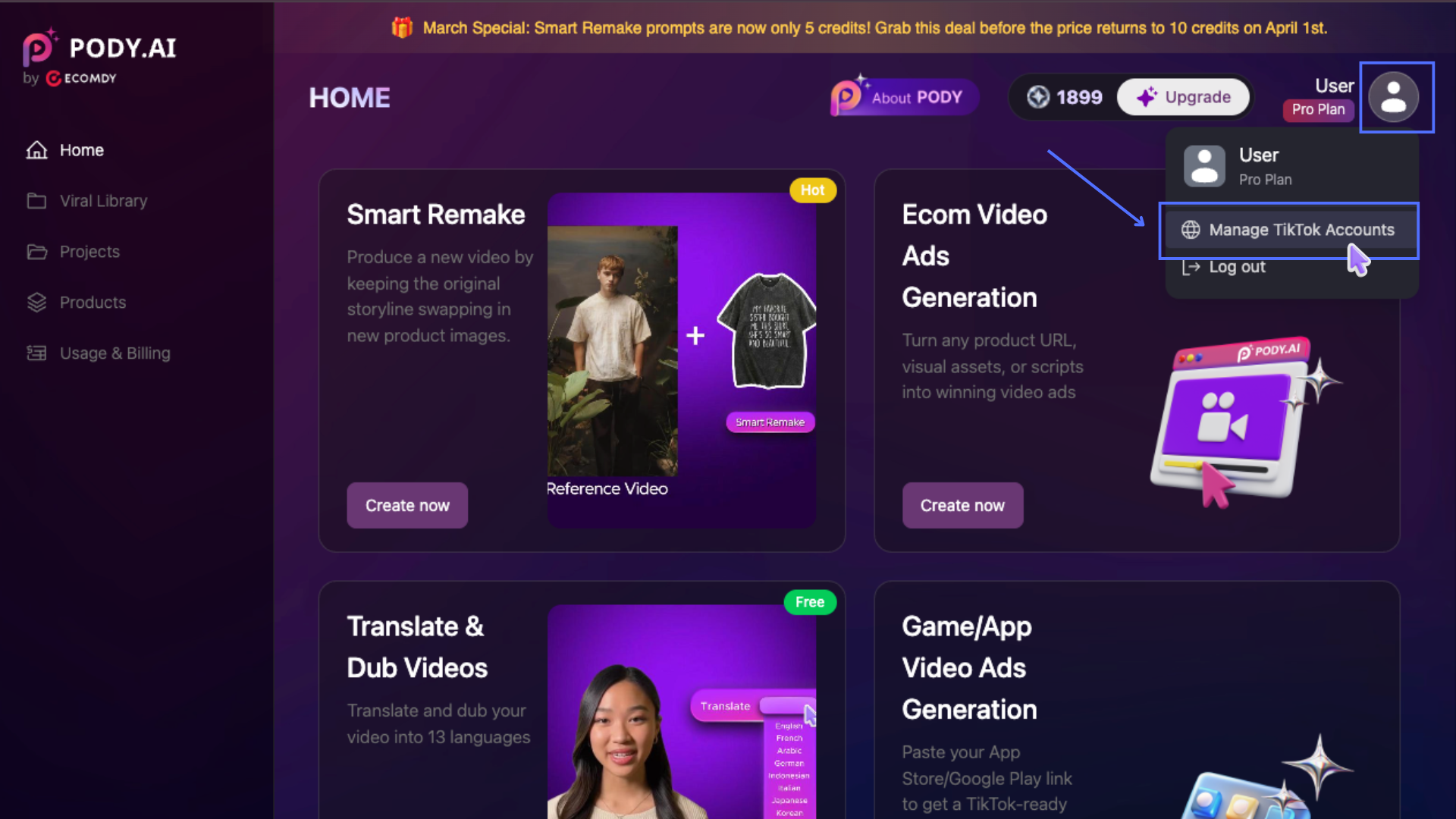
- Click your Account avatar (top-right corner), then select Manage TikTok Accounts
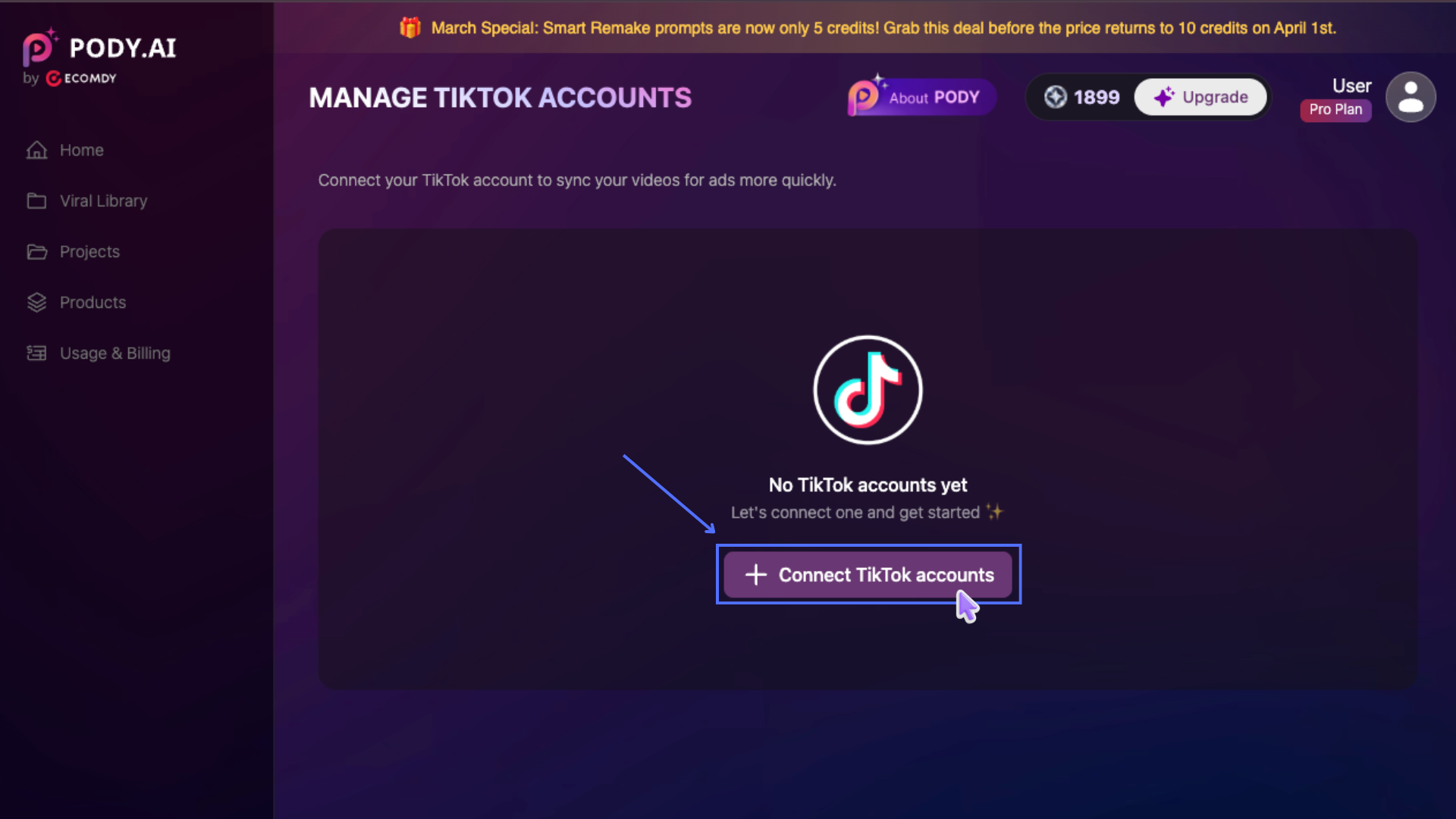
- Click Connect TikTok accounts
- You will be redirected to the TikTok Ads authorization page
If you are not logged in to your TikTok For Business account, you will be prompted to log in
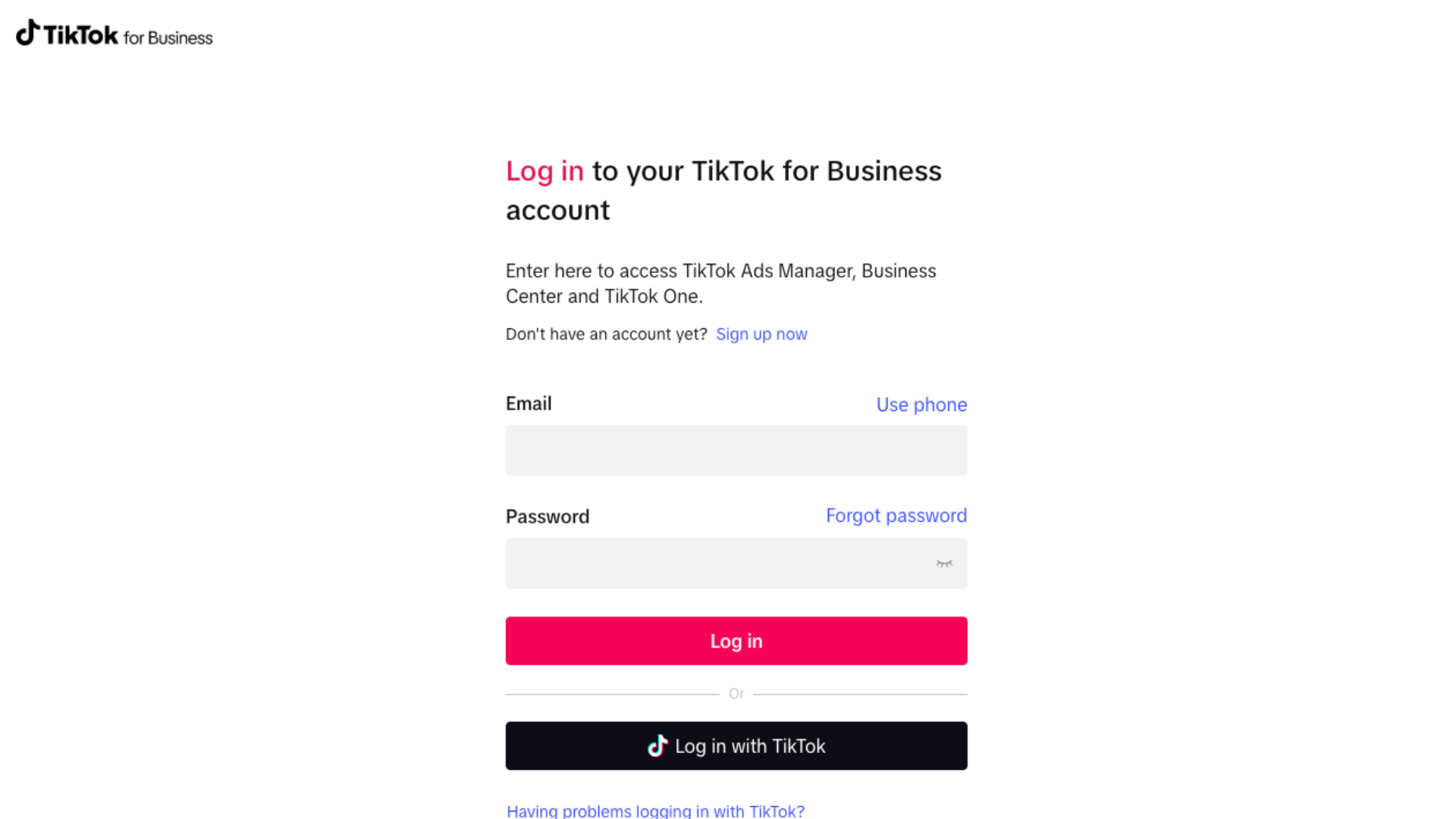
If you are already logged in, you will be taken directly to the authorization request screen. Click Confirm to grant access and enter the verification code if required
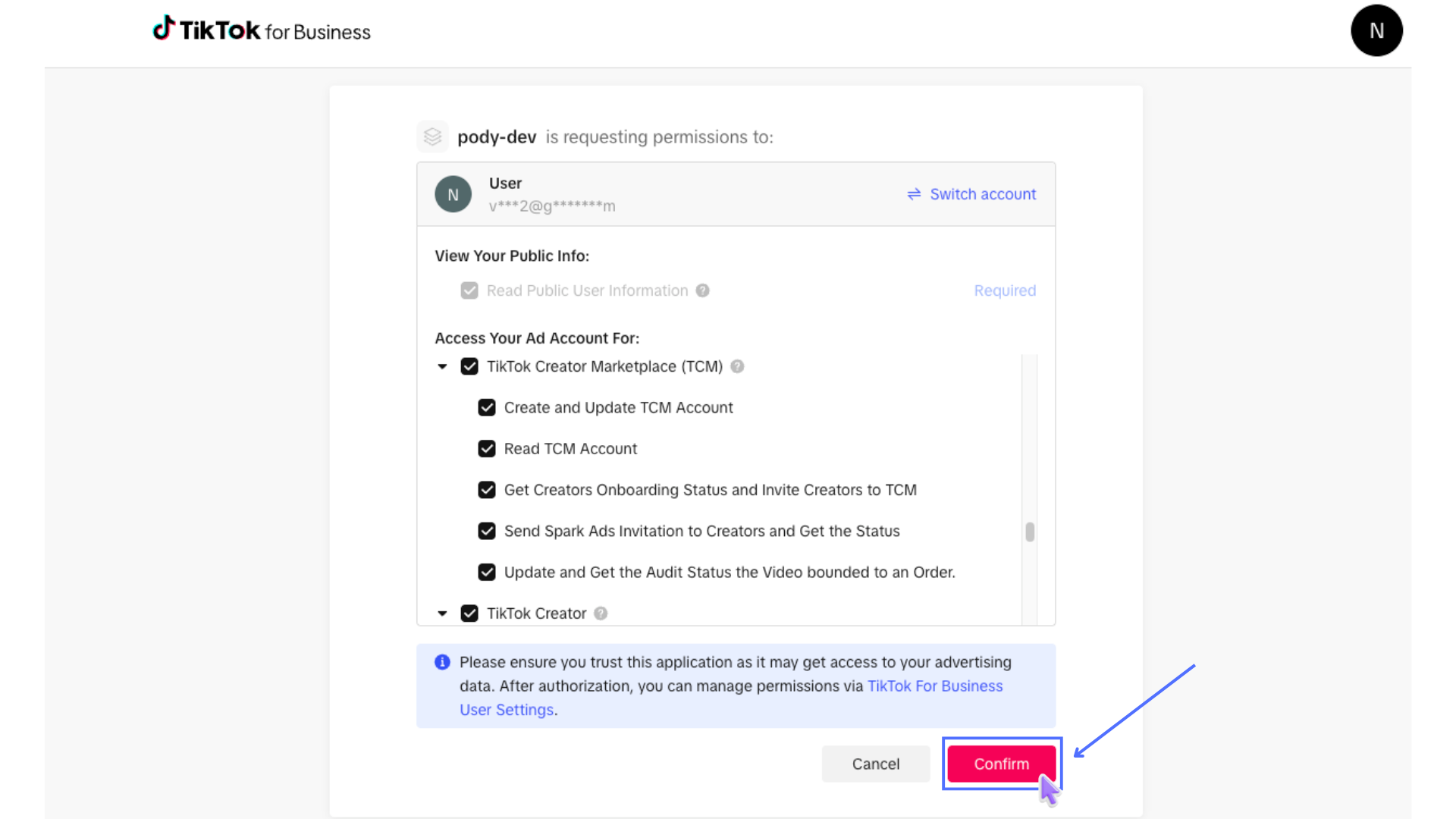
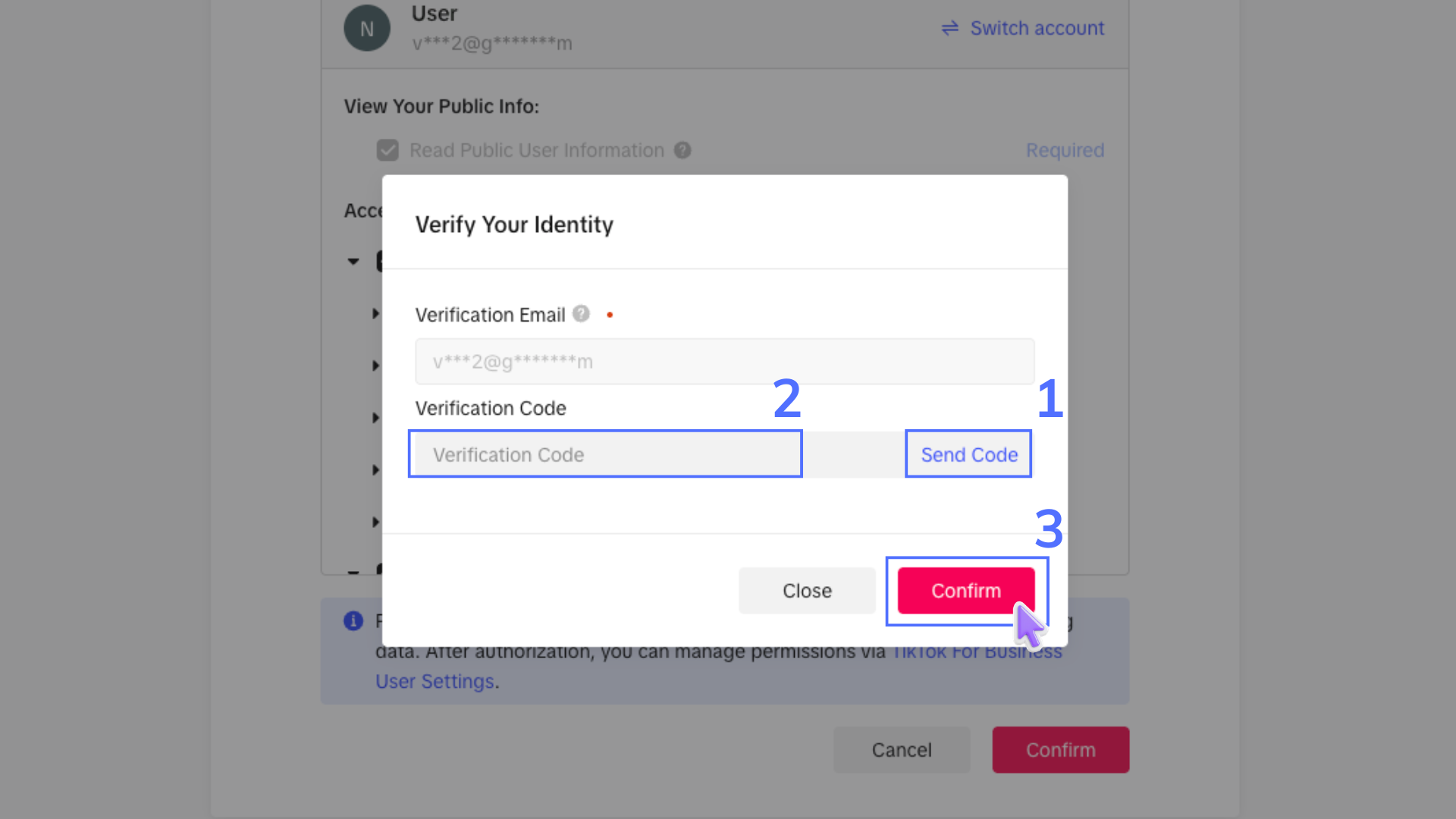
- After completing the process, you will be redirected to: https://app.pody.ai/tiktok-account. A success message will be displayed, and your TikTok Ads account will be successfully connected.
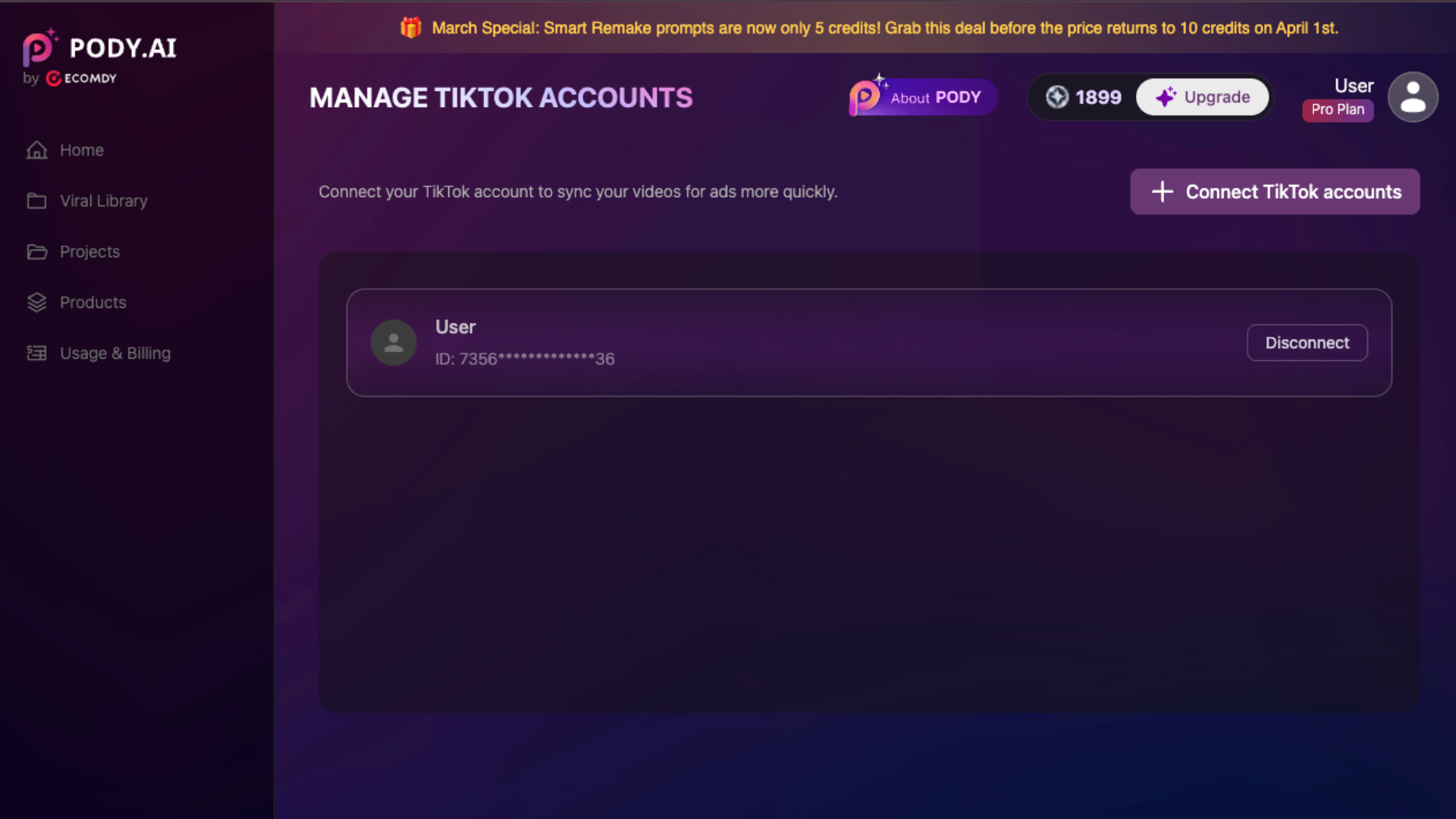
Link Additional TikTok Ads Account:
- To connect to another TikTok Ads account, click Connect TikTok Account. Select Switch Account and repeat the steps above.
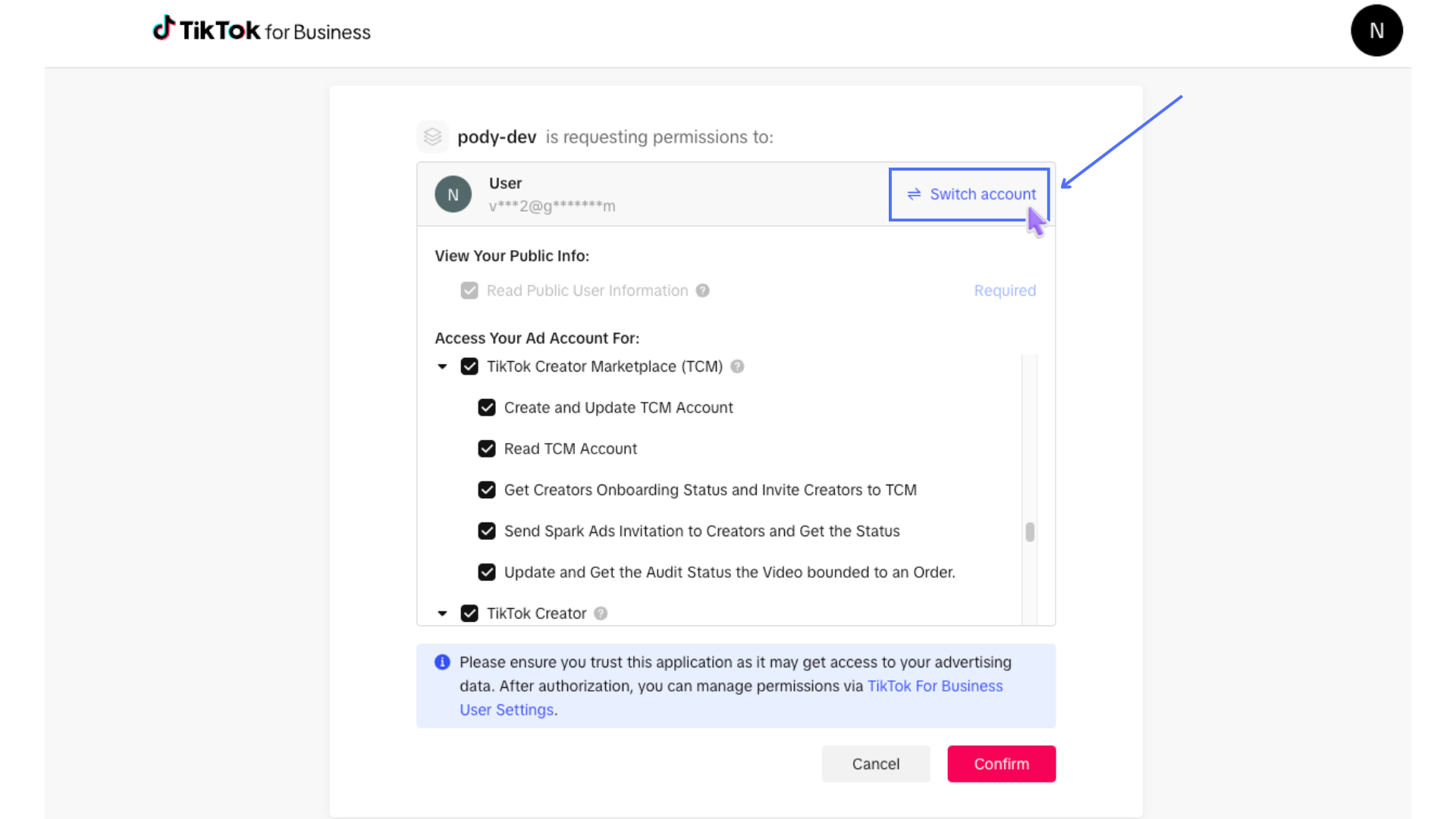
2. Sync Videos to TikTok Ads
Once your TikTok Ads account is connected, you can sync videos directly from Pody.ai.
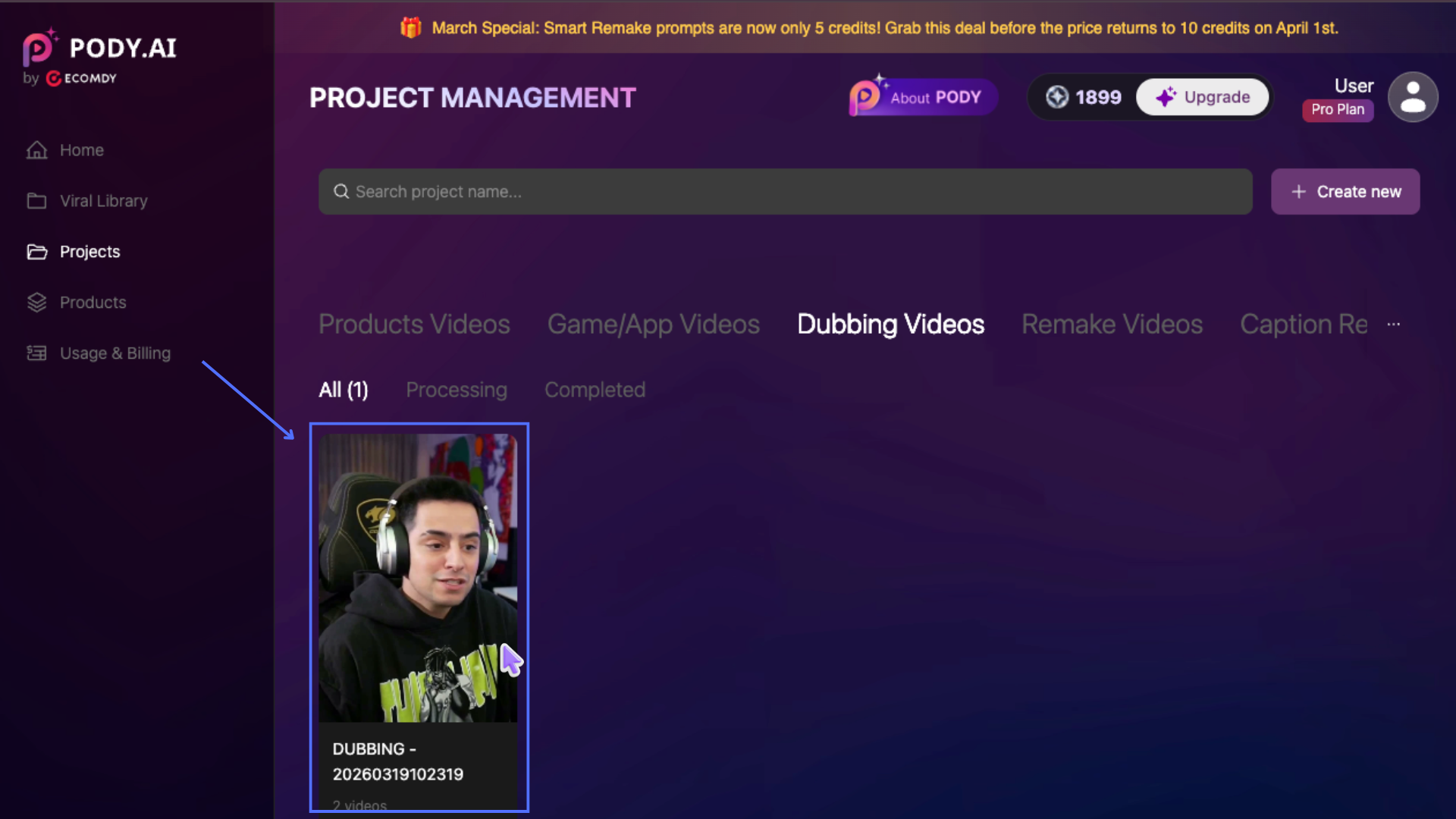
After generating videos using Pody features, you can sync them immediately from the result screen or find them later in the Project section by selecting the corresponding project.
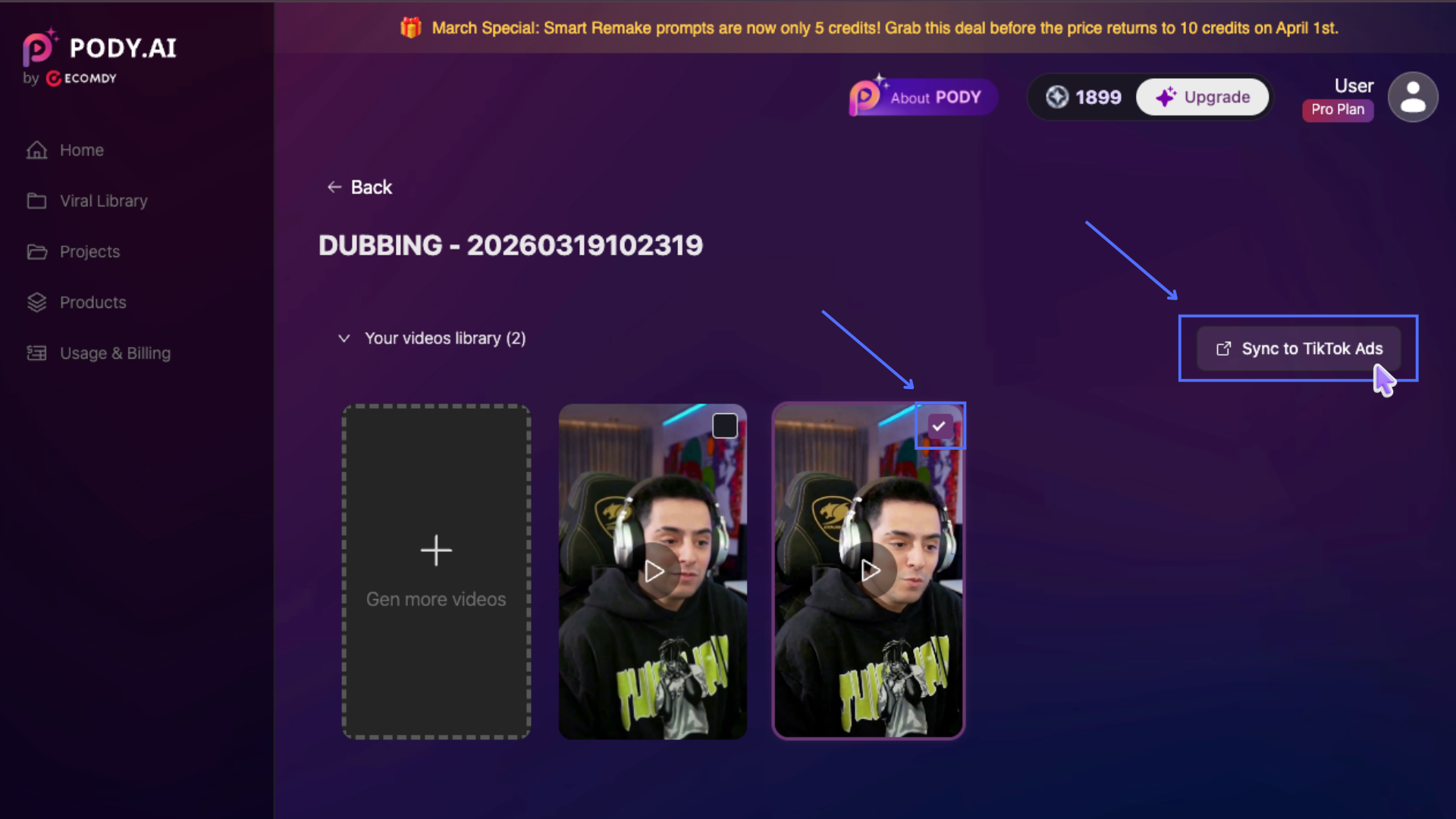
- Select one or multiple videos (up to 5 videos), then click Sync to TikTok Ads
- In the popup, choose the TikTok Ads account(s) you want to sync to (up to 3 accounts). Click Sync to Tiktok Ads to start syncing.
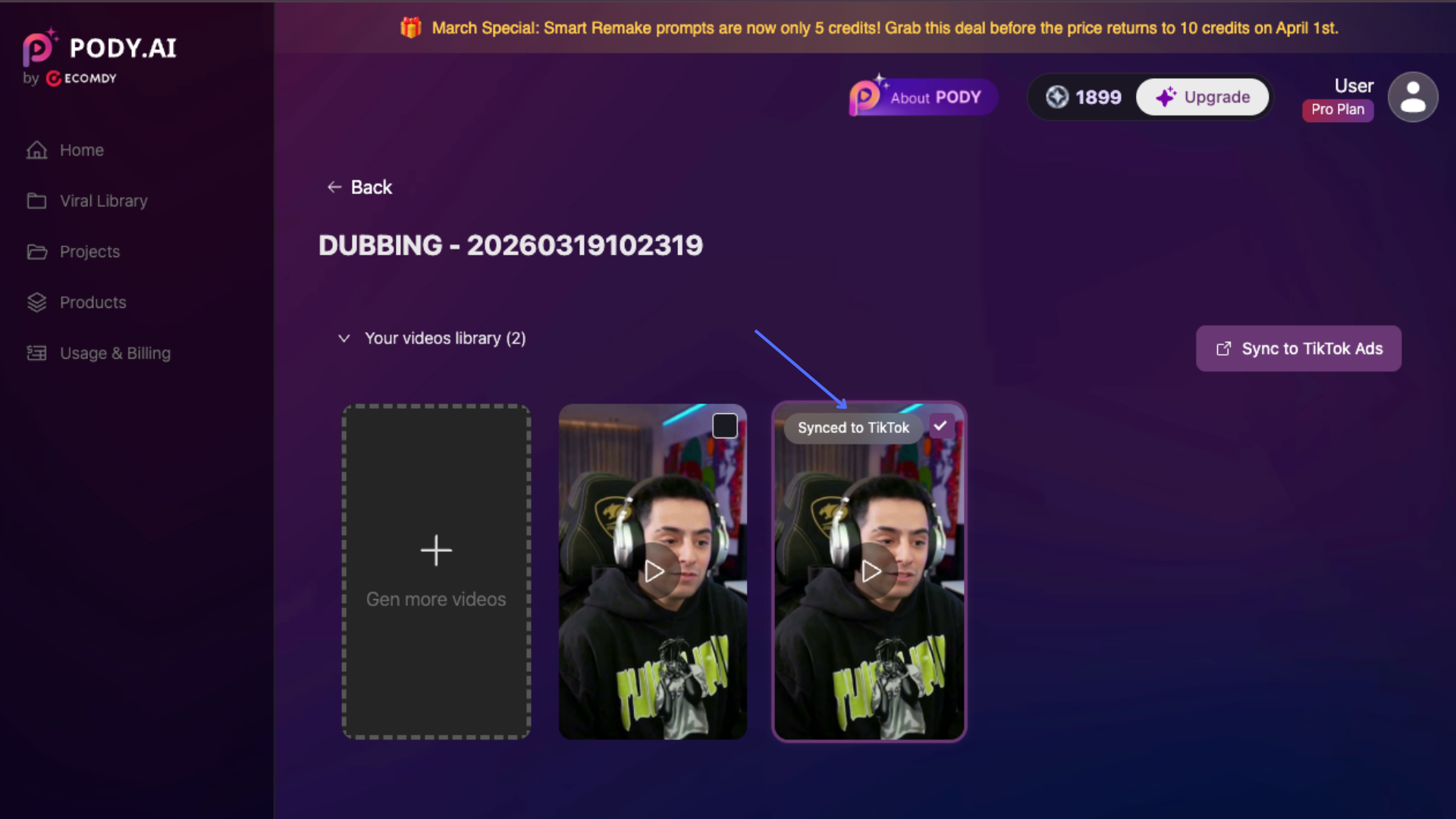
✅ A success message will appear once syncing is completed.
✅ Synced videos will display a “Synced to TikTok” label on the video.
Verify Synced Videos
- Hover over the “Synced to TikTok” label to view the list of TikTok Ads accounts the video has been synced to
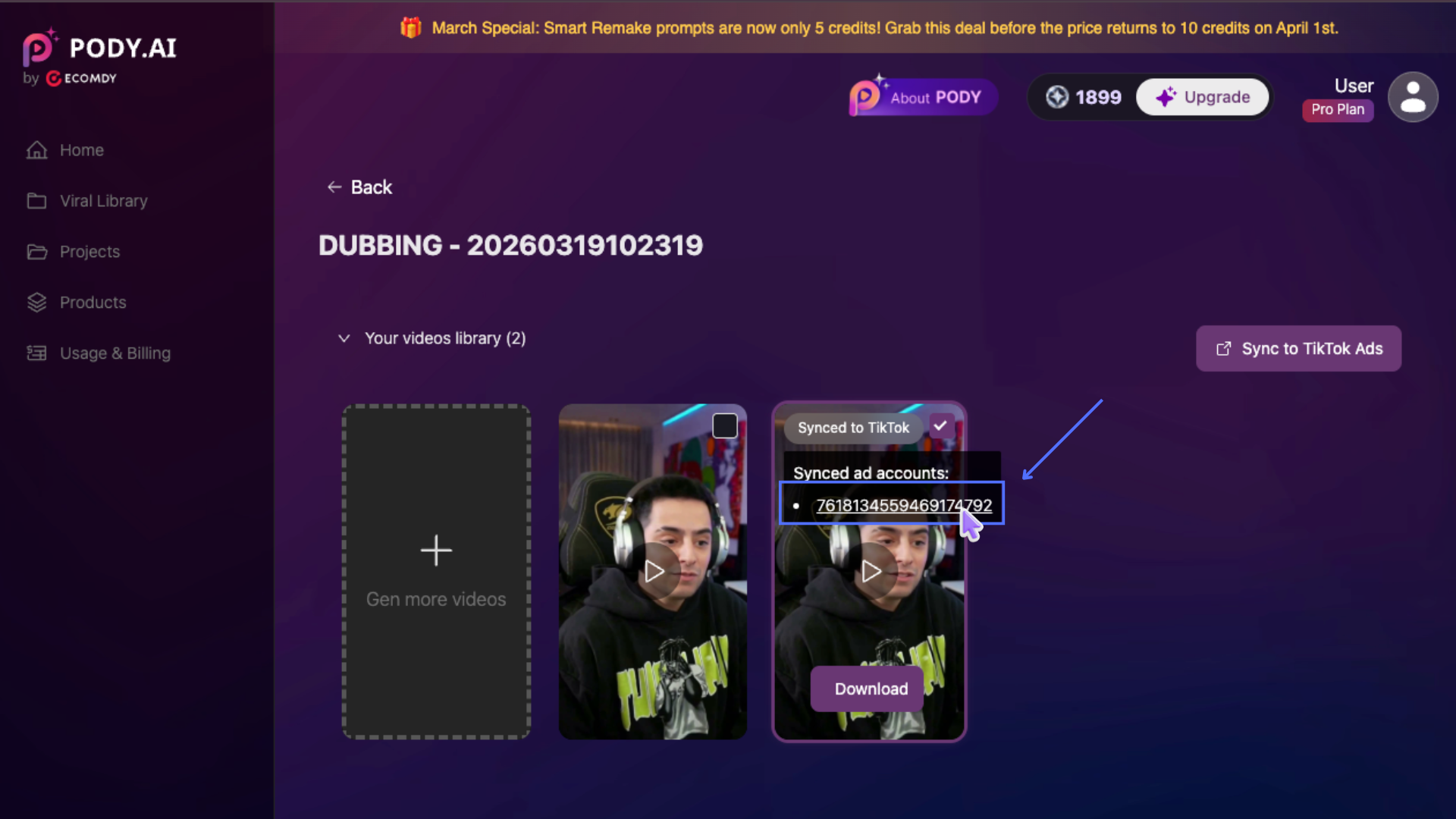
- Click on an account to open its Creative Library of the selected TikTok Ads account, where the synced video is stored